The harness features I can't live without
I've been experimenting with agent harnesses for the last year. Here are the features I couldn't live without in my own harness:
- Meta-harness
- MCP and skill aggregation
- Productivity tools: artifacts, a rich text editor (pages), a design canvas
- Conversation continuation suggestions and emoji responses
- Bot / chief-of-staff thread organization
- Mobile app
This started as an X thread.
1. Meta-harness
A meta-harness lets you use each model provider's preferred harness to drive the agent.
The theory is that models are trained together with their harness, so you get the best performance by sticking with the provider's own harness. For open-source models, I just use Pi.
2. MCP and skill aggregation
The meta-harness holds all your MCP connections and passes the tools down to the underlying provider. You connect all your MCPs in one place. The same goes for skills.
For the most part, the provider harnesses underneath are just stock.
3. Productivity tools
These are tools that let you express ideas and iterate on them with your agent. A chat transcript is not the right place for deeper communication.
The ones I've found most useful are Pages and Design.
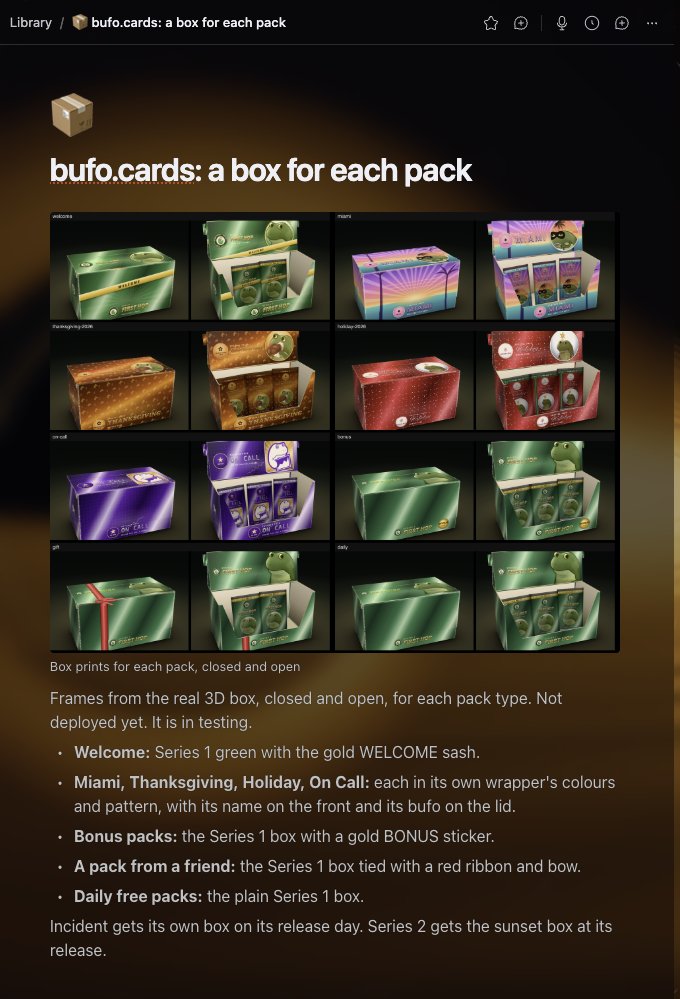
Pages is a rich text editor, à la Notion. You can comment on the document and get responses from your agent. It's great for recording the summary of a conversation or for planning. I rarely write anything long form myself. I just talk with the agent, then ask it to write the page, and I review it.
Design is a Claude Design / Figma style canvas with UI you can interact with. It's very useful for iterating on mocks before building.
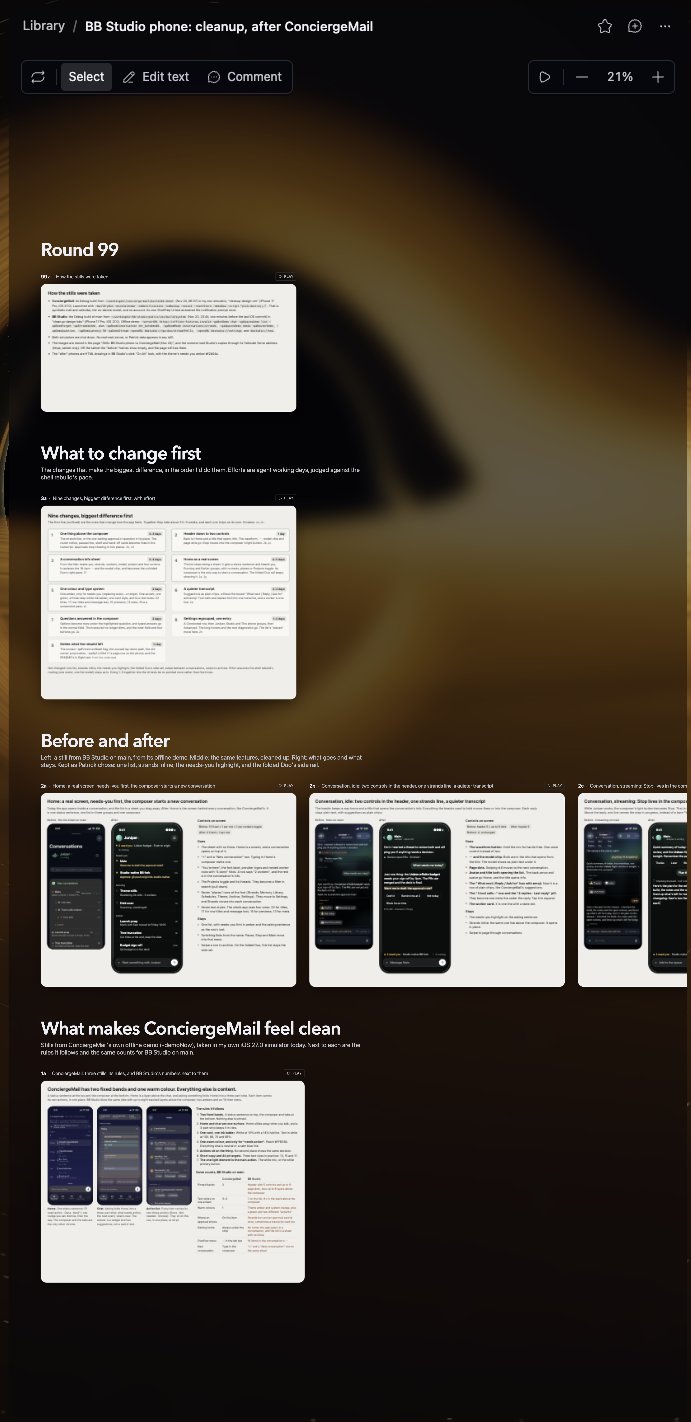
It's a huge win to put your productivity tools in the same place as your agent harness. The feedback and iteration loop gets much tighter.
4. Conversation continuation suggestions and emoji responses
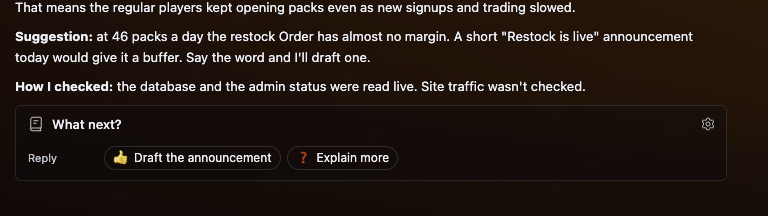
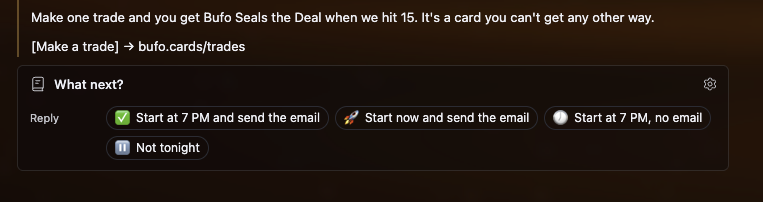
I rarely read everything in the chat transcript, so it's very helpful when the agent gives me a few sample replies I can click. I use this feature a lot.
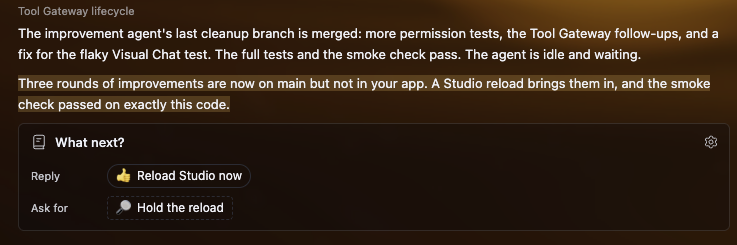
Besides the generated replies, there's a feature called "by the way". The agent can call out things it finds along the way that are off topic but that I should know about. Also very useful.

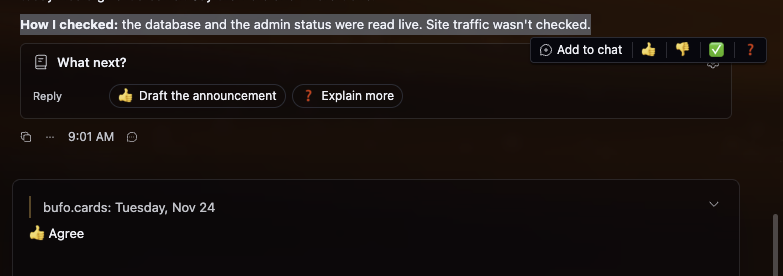
Emoji responses are a simple way to highlight text in the chat transcript and answer it in one click, with replies like "👍 Agree" or "✅ Do it".
5. The bot / chief-of-staff pattern
My harness has settled into a pattern where the bot profile is the top level. Skills, memory and the profile itself are attached to the bot, and individual threads are just instances of the same bot.
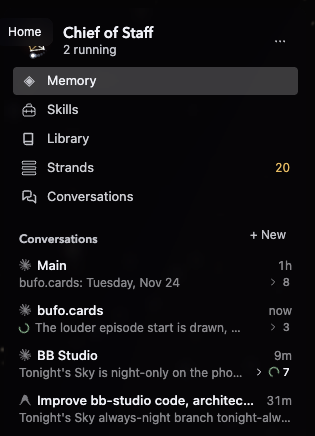
There is a main thread. When any other thread is archived, it puts a summary into the main thread, so something always knows what's going on. There is also a memory database, but honestly memory is not that important.
I usually spin up a separate thread for each project, and these threads run for a long time. Each top-level thread can spin up its own workers. I can't talk to workers, only to top-level threads, and I almost never look at what the workers do.
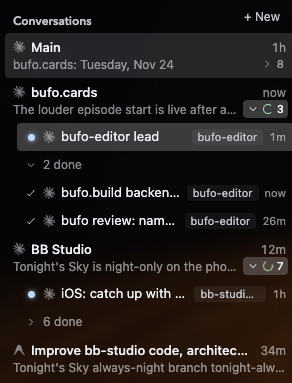
This pattern separates the agent I talk to from the agents that do the actual work. The top-level threads are all orchestrators. They hand work off so their own thread stays free for me to talk to.
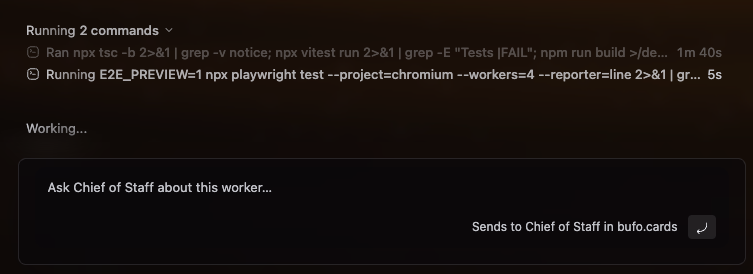
The great thing about a meta-harness is that you can run the orchestrator threads on one provider and model, then tell them to use a completely different provider and model for the work. It's highly configurable, and honestly I don't know if I could ever go back (unless we get to the point where a single model does everything... cheaply).
6. Mobile app
I also built my own mobile app. It connects to my harness (a fork of BB) over Tailscale. I probably do half of my prompting on my phone.
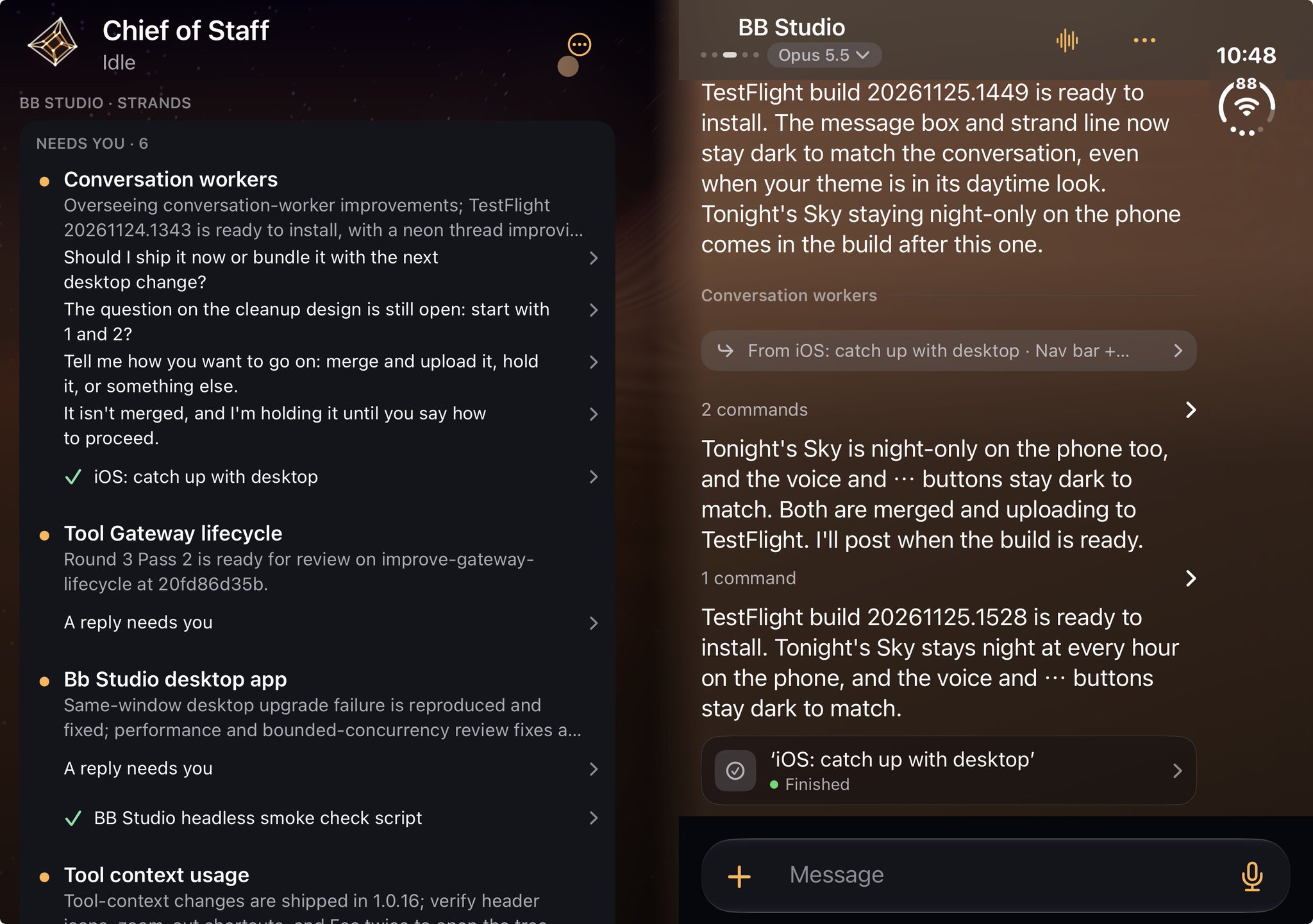
There is no way in hell I'll ever go back to NOT being able to reach my agents from a phone.
Everything else
There are loads of other features in the harness. I'm constantly experimenting:
- Memory. I'm not bullish on memory, but what the heck, why not.
- Rich animated background themes.
- Strands. A decision model classifies each message in the chat transcript to keep track of the different things happening in the same conversation. I can then "zoom out" of a conversation into a tree / git-diff style view to follow its topics.
- Built-in VS Code for the rare times I need to touch files and code directly.
- Realtime voice via gpt-live-1.
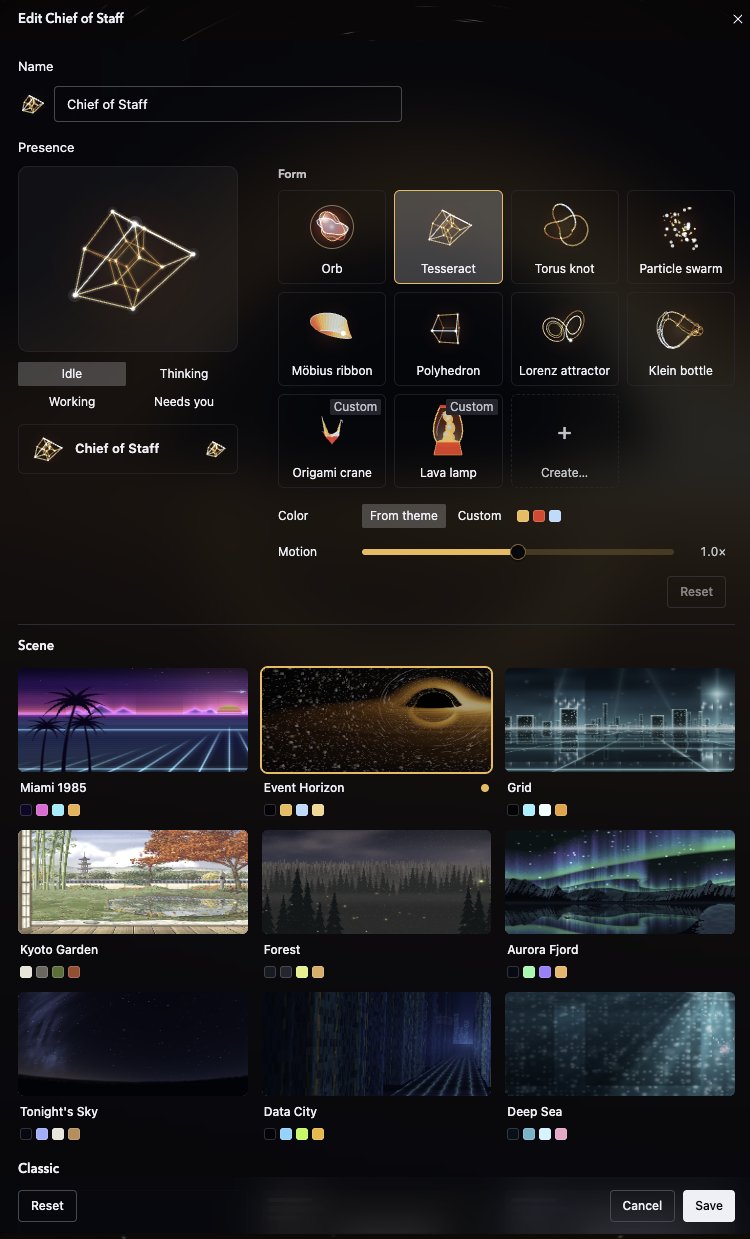
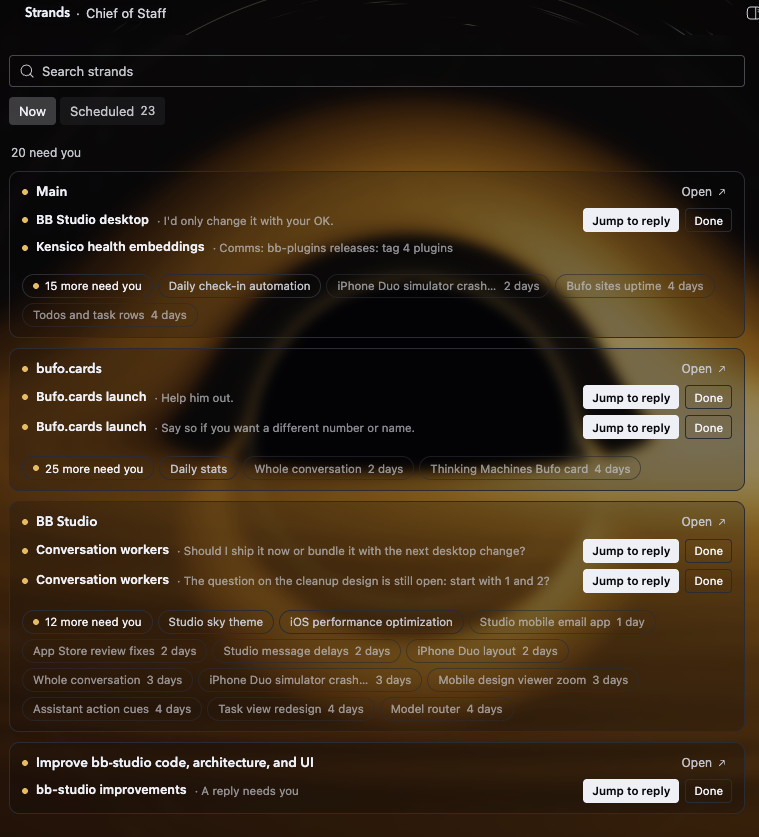
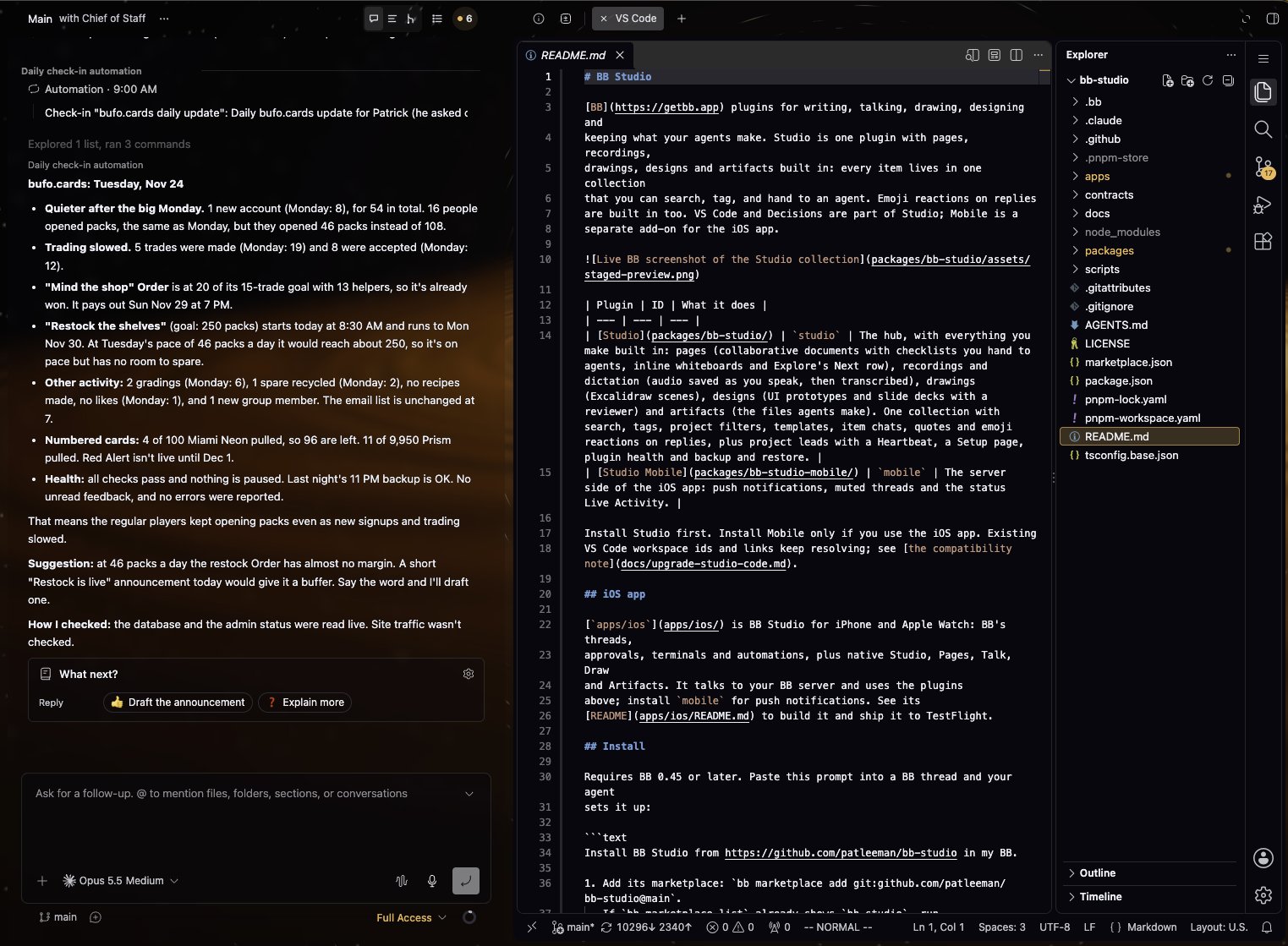
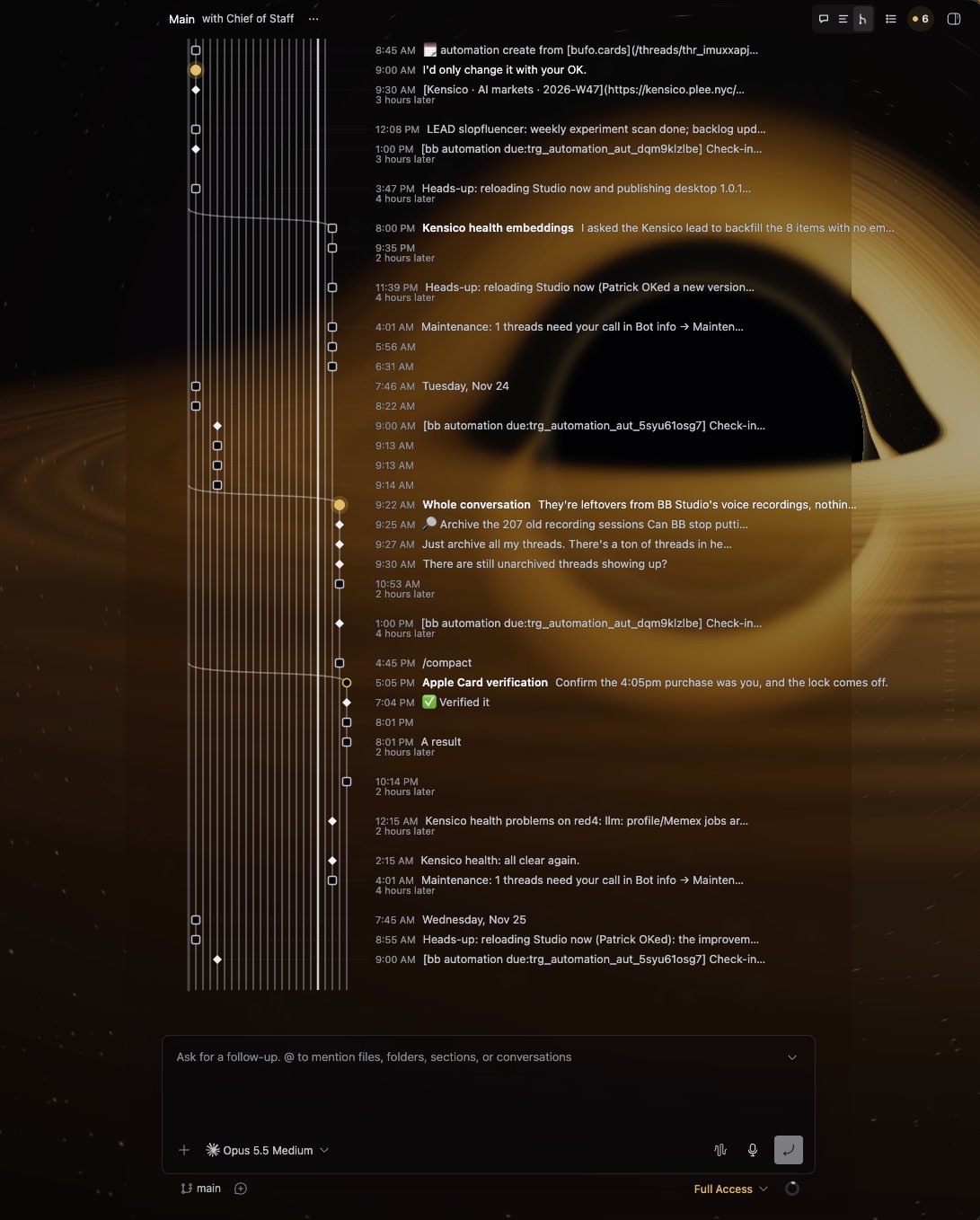
I don't really rely on these yet. The jury is still out on whether they'll stick around.
Built on BB
None of this would be possible without BB and its balance of plugins and an excellent base app. So much of my harness's usefulness comes from features built into BB:
- Thread-to-thread communication
- The
bbCLI (my agents use it constantly) - BB's plugin system
- Agents can read old conversation transcripts, which is a very rich source of context
The ability to shape your tool to your workflow is so important. This is why craftspeople make their own tools. Carpenters make jigs, machinists make fixtures, and developers build their own tool bench.
My harness is called bb-studio, and the code lives at github.com/patleeman/bb-studio. I wouldn't recommend using it, since it's tailored to me, but you should most certainly copy features from it.